

Introduction
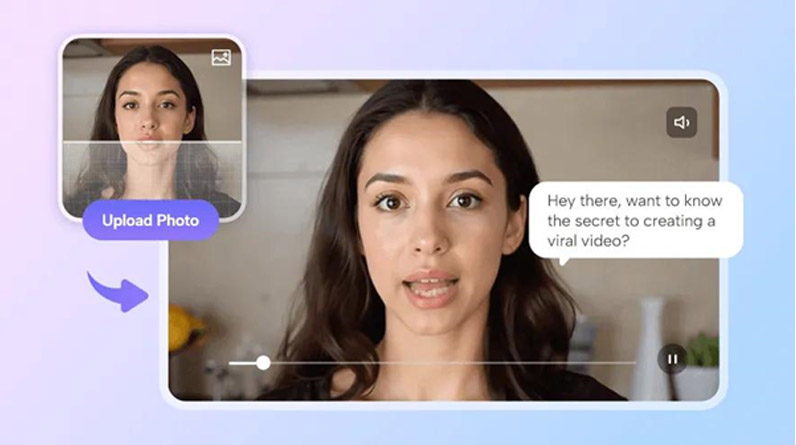
The rise of artificial intelligence has transformed how creators produce visual content. What once required advanced editing skills, expensive software, and hours of manual work can now be achieved in minutes with AI-powered tools. From generating lifelike talking avatars to converting static photos into animated videos, AI video tools are redefining content creation for marketers, educators, influencers, and businesses alike.
In 2026, the market is filled with powerful platforms that offer everything from lip-sync technology to cinematic video generation. However, not all tools deliver the same level of quality, flexibility, or value. This guide highlights the best AI video generator tools of 2026, with a special focus on innovation, usability, and performance.
At a Glance
| Tool Name | Best For | Free Plan | Starting Price | Key Features |
| Magic Hour | All-in-one AI video creation | Yes | $10/month | Face swap, lip sync, talking photos |
| Synthesia | AI avatars & business videos | No | $22/month | Corporate-ready avatars |
| HeyGen | Marketing & personalized videos | Yes | $24/month | AI spokesperson videos |
| D-ID | Talking avatars from images | Yes | $5/month | Facial animation |
| Pictory | Blog-to-video conversion | Yes | $19/month | Auto video summarization |
| Runway | Creative AI video editing | Yes | $15/month | Advanced generative tools |
1. Magic Hour – The Ultimate AI Video Creation Platform
Magic Hour stands out as the #1 AI video generator of 2026, offering a powerful suite of tools for creators of all skill levels. Whether you’re looking to generate videos from scratch or animate images, it delivers a seamless experience with cutting-edge AI.
What truly sets Magic Hour apart is its ability to combine multiple advanced features into a single platform. It excels in face swapping, lip syncing, and transforming static images into dynamic videos. With its intuitive interface and one-click workflows, users can go from idea to finished video in minutes.
Magic Hour is also a leading ai video generator, enabling creators to produce professional-grade videos without technical expertise. Additionally, its innovative talking photo AI capability allows users to bring still images to life with realistic speech and expressions.
Key Features
- Best-in-class face swap and lip-sync technology
- Talking photo animation with natural expressions
- One-click workflows (generate → upscale → video)
- Access to multiple frontier AI models
- Fast variations and multiple takes
- Click-to-create templates for quick production
- Parallel generations with no concurrency limits
- Weekly feature updates
Pricing
- Free Plan – Generous access with no signup required to try
- Creator Plan – $15/month or $10/month (billed annually)
- Pro Plan – $39/month
Why It Stands Out
Magic Hour offers exceptional value, especially at the $10–15/month range. Credits never expire, making it ideal for both casual and professional users. It’s optimized for desktop and mobile, supports large-scale usage, and even provides responsive, founder-level support—something rarely seen in this space.
2. Synthesia – Best for Corporate Videos
Synthesia is widely used by businesses for creating training videos, presentations, and internal communications. Its AI avatars are highly realistic and support multiple languages, making it ideal for global teams.
Key Features
- 140+ AI avatars
- Multilingual voice support
- Script-to-video automation
- Professional templates
Limitations
- No free plan
- Limited creative flexibility compared to competitors
3. HeyGen – Best for Marketing Content
HeyGen is designed for marketers who need personalized video content at scale. It allows users to create AI spokesperson videos with ease.
Key Features
- Custom avatars
- Voice cloning
- Personalization at scale
- Easy-to-use interface
Limitations
- Pricing can be higher for advanced features
- Less focus on creative editing tools
4. D-ID – Best for Talking Avatars
D-ID specializes in animating faces and creating talking avatars from still images. It’s particularly useful for storytelling and educational content.
Key Features
- Image-to-video animation
- Realistic facial expressions
- API integration
Limitations
- Limited video editing capabilities
- Output quality varies with input image
5. Pictory – Best for Content Repurposing
Pictory is ideal for turning blog posts or scripts into engaging videos. It’s a favorite among content marketers and bloggers.
Key Features
- Blog-to-video conversion
- Auto captions
- Stock footage library
- AI summarization
Limitations
- Less control over visual storytelling
- Not suitable for advanced video editing
6. Runway – Best for Creative Professionals
Runway is a powerful AI tool for filmmakers and designers who want advanced generative capabilities. It offers tools for video editing, effects, and even scene generation.
Key Features
- Text-to-video generation
- AI-powered editing tools
- Green screen without background removal
- Real-time collaboration
Limitations
- Learning curve for beginners
- Requires more manual input than other tools
How We Choose These Tools
Selecting the best AI video generator tools requires careful evaluation. Here are the criteria used in this list:
1. Output Quality
We prioritized tools that deliver realistic visuals, smooth animations, and accurate lip syncing.
2. Ease of Use
User-friendly interfaces and quick workflows were essential, especially for beginners.
3. Feature Set
Tools offering multiple capabilities—such as video generation, editing, and animation—ranked higher.
4. Pricing & Value
We compared pricing plans to ensure users get strong value, especially with free tiers and flexible subscriptions.
5. Innovation
Platforms that consistently release new features and leverage cutting-edge AI models were given priority.
6. Scalability
We considered whether tools can handle both individual creators and large-scale production needs.
FAQs
1. What is an AI video generator?
An AI video generator is a tool that uses artificial intelligence to create videos from text, images, or other inputs, often automating editing, animation, and voice generation.
2. Are AI video tools suitable for beginners?
Yes, most modern tools are designed with user-friendly interfaces, allowing beginners to create professional videos without prior experience.
3. Can AI tools replace traditional video editing?
While AI tools can handle many tasks, traditional editing still offers more control for complex projects. However, AI significantly speeds up the process.
4. Which tool is best for beginners in 2026?
Magic Hour is one of the best choices due to its simplicity, powerful features, and generous free plan.
5. Do these tools require high-end hardware?
No, most AI video tools are cloud-based, so you can use them on standard devices without performance issues.
Conclusion
AI video generation has reached a new level in 2026, empowering creators to produce high-quality content faster than ever before. Whether you’re a marketer, educator, or content creator, there’s a tool tailored to your needs.
Among all the options, Magic Hour clearly leads the pack with its unmatched combination of features, affordability, and innovation. Its ability to unify face swap, lip sync, and talking photo capabilities into one seamless platform makes it the top choice for anyone serious about AI-driven video creation.
As AI continues to evolve, these tools will only become more powerful—making now the perfect time to start exploring what’s possible.