

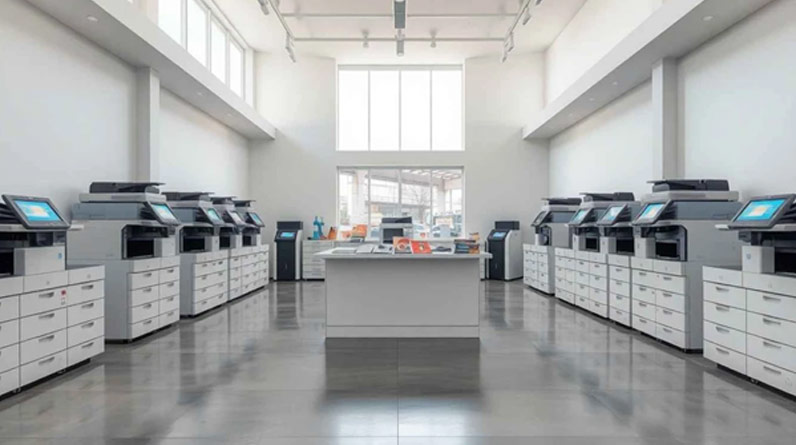
For many organisations, the office printer remains an essential part of daily operations. Whether producing contracts, invoices, reports, presentations or customer communications, businesses rely on dependable printing and document management capabilities to keep workflows moving efficiently.
However, selecting the right office printer is not always straightforward. Modern devices offer far more than basic printing functionality, with many systems incorporating scanning, copying, cloud connectivity, security controls and workflow automation tools. The challenge for businesses is identifying which features genuinely support their requirements and which may add unnecessary cost.
By understanding your organisation’s printing needs and evaluating key considerations before making a purchase, it becomes much easier to invest in a solution that delivers long-term value.
Start by Assessing Your Printing Requirements
The most common mistake businesses make is choosing a printer based solely on price.
While acquisition costs are important, the lowest-cost device is not always the most economical option over its lifetime. Before comparing models and manufacturers, organisations should first understand exactly how the printer will be used.
Questions worth asking include:
- How many pages are printed each month?
- How many employees will use the device?
- Is colour printing necessary?
- Are scanning and copying required?
- Do employees need mobile or remote printing access?
- Will the printer support a single department or the entire office?
Establishing these requirements helps narrow the available options and prevents businesses from paying for functionality they may never use.
Understanding Print Volumes
Print volume is one of the most important factors when selecting an office printer, as different devices are designed to handle different workloads. A small team printing a few hundred pages each month will have very different requirements from a busy office generating thousands of documents each week.
Low Volume Environments
Smaller businesses or departments may only require a compact device capable of handling routine printing tasks.
In these environments, priorities often include:
- Space efficiency
- Ease of use
- Low acquisition costs
- Basic scanning functionality
Choosing oversized equipment for light workloads can result in unnecessary expense.
Medium and High Volume Offices
Larger organisations typically benefit from systems designed to support heavier workloads.
Features such as larger paper capacities, faster print speeds and robust duty cycles can help maintain productivity as print demands increase.
Planning for future growth is equally important – solution that meets today’s needs should also be capable of supporting the business as requirements evolve.
Choosing Between A4 and A3 Printing
Many businesses automatically focus on print speed and running costs while overlooking paper size requirements. For some organisations, an A4 device may be perfectly adequate; for others, the ability to produce larger documents can provide valuable flexibility.
When A4 Is Sufficient
A4 printers are typically suitable for:
- Standard office documents
- Letters
- Invoices
- Internal reports
- Everyday correspondence
They often require less space and can offer lower operating costs.
When A3 Printing Adds Value
Businesses that regularly create larger documents may benefit from A3 capability.
Examples include:
- Marketing materials
- Technical drawings
- Spreadsheets
- Presentations
- Educational resources
Having in-house access to A3 printing can reduce outsourcing requirements and improve turnaround times.
The Benefits of Multifunction Printers
Modern workplaces increasingly rely on multifunction printers (MFPs) rather than standalone print devices. These systems combine multiple functions within a single machine, helping organisations reduce hardware requirements while improving workflow efficiency.
Typically, multifunction devices provide:
- Printing
- Copying
- Scanning
- Document distribution
Some models also support advanced document management features that help streamline administrative processes.
Improving Document Workflows
Scanning capabilities have become particularly important in today’s hybrid working environments. Employees often need to digitise documents and distribute them quickly to colleagues, clients or external partners.
A multifunction device can simplify this process by allowing documents to be scanned directly to:
- Network folders
- Cloud platforms
- Document management systems
This can reduce manual handling and support more efficient information sharing across the organisation.
Don’t Overlook Security Features
Printers are now connected devices that form part of the wider business network. As a result, security should play a key role in any purchasing decision.
Many modern office printers include capabilities such as:
- User authentication
- Access controls
- Secure print release
- Encryption
- Activity logging
These features can help organisations protect sensitive information while supporting compliance requirements.
As businesses continue to prioritise cyber security, ensuring that print infrastructure aligns with broader security objectives has become increasingly important.
Evaluating Running Costs
The purchase price represents only a portion of a printer’s overall cost.
Organisations should also consider ongoing expenses, including:
- Toner or cartridges
- Maintenance
- Energy consumption
- Support agreements
- Replacement parts
A device with a lower initial purchase price may become considerably more expensive over time if operating costs are high.
Total Cost of Ownership
Calculating total cost of ownership provides a more realistic view of long-term value. Factors such as reliability, efficiency and expected lifespan can have a significant influence on overall expenditure.
Businesses should therefore evaluate the complete financial picture rather than focusing exclusively on upfront costs.
Supporting Hybrid Working
Workplace practices have changed substantially in recent years.
Many employees now split their time between the office and remote locations, creating new demands on print and document workflows.
Modern office printers often support:
- Mobile printing
- Cloud connectivity
- Remote access
- Digital document sharing
These capabilities help ensure employees can access business information efficiently regardless of where they are working.
Research published in AIIM’s State of Intelligent Information Management Technology report highlights how organisations are increasingly using automation, document management and information management technologies to improve efficiency and support business processes. The report also notes that investments in information management infrastructure often form part of wider efforts to enhance productivity, streamline workflows and support digital transformation initiatives.
Choosing the Right Supplier
The printer itself is only part of the decision.
Businesses should also assess the supplier’s ability to provide:
- Expert advice
- Installation services
- User training
- Ongoing support
- Maintenance assistance
A knowledgeable supplier can help ensure the selected solution aligns with both current requirements and future business goals.
When evaluating available options, organisations can explore a range of office printers designed to support everything from small teams to large, high-demand workplaces.
Making a Confident Decision
Selecting an office printer should be viewed as a long-term business investment rather than a simple equipment purchase.
By considering factors such as print volume, paper size requirements, multifunction capabilities, security features and operating costs, organisations can identify solutions that support productivity while delivering lasting value.
The right office printer can do far more than produce documents. It can improve workflows, support hybrid working, enhance security and help teams operate more efficiently, making it an important asset for businesses of all sizes.